Local SEO and Research
Google Business Profile Optimization: The Complete Guide for 2026
Your Business Profile is often the first thing a local customer sees, and increasingly what AI assistants read when they recommend local businesses. Getting it right is mostly about accuracy, completeness and consistency.

Sheikh Sadikur, SEO, AEO & GEO consultant
Published · 9 min read
To optimize a Google Business Profile, make it eligible and accurate first, then complete, then active: use your real business name, the right primary category and accurate location or service-area settings; fill in every relevant field, including services, description, hours and photos; keep your details identical to your website and directories; and earn and respond to genuine reviews. Google ranks local results on relevance, distance and prominence, and a well-optimized profile improves the two you can influence.
I work on local SEO for small businesses in the US and Bangladesh, and I manage my own profile as a consultant in Dhaka. The pattern is consistent: profiles that perform are accurate, complete and consistent, not clever. This guide covers what matters, in order.
How Google ranks local results
Google states that local results are based mainly on three factors:
- Relevance: how well your profile matches what someone is searching for.
- Distance: how far your business or service area is from the searcher or the location in the search.
- Prominence: how well known your business is, based on reviews, links, articles and other information across the web.
You can't change distance. Everything in this guide improves relevance or prominence.
Step 1: check eligibility
Before optimizing, make sure the profile is allowed to exist. Google's guidelines require in-person contact with customers during stated hours, either at your location or at theirs.
| Business type | Eligible? | How to set it up |
|---|---|---|
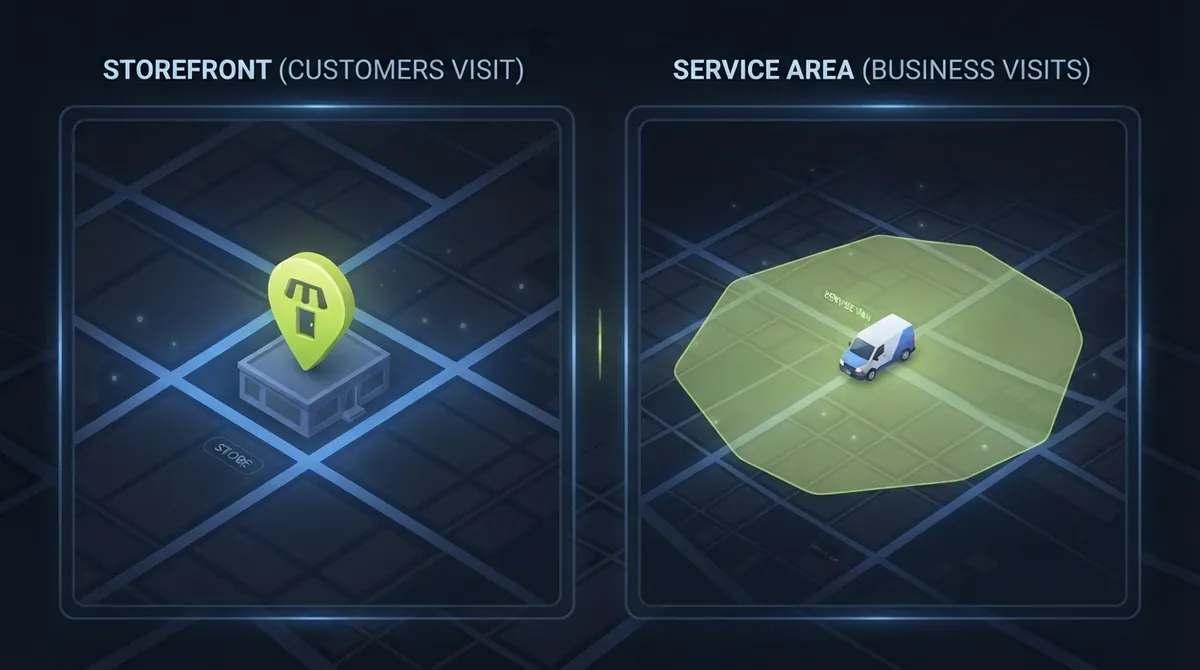
| Storefront (customers visit you) | Yes | Show your address |
| Service-area business (you visit customers) | Yes | Hide your address, list service areas |
| Hybrid (both) | Yes | Show address and list service areas |
| Online-only business | No | Focus on your website and other directories |
| Virtual office or mailbox address | No | Not a valid location |
This is the first thing I check, because an ineligible profile can be suspended at any time, taking its reviews with it.
Step 2: get the name right
Use your real-world business name, exactly as it appears on your signage, website and legal documents.
Don't add keywords, locations or taglines. "Best SEO Expert Dhaka - Sheikh Sadikur" is a guideline violation and a common reason for suspension. Keyword-stuffed names also blur your entity, the clear identity that search engines and AI systems need, as I explain in the entity SEO guide.
Step 3: choose categories carefully
The primary category is one of the strongest relevance signals on the profile.
- Pick the most specific category that describes your core business. "Roofing contractor" beats "Contractor".
- Look at the categories of competitors who rank well for your main searches.
- Add a few secondary categories for genuine additional services, but don't add categories for things you rarely do.
- Revisit categories occasionally, since Google adds new ones.
Step 4: set location and service areas
Storefront businesses
Use the exact address customers visit, with the pin placed correctly on the map.
Service-area businesses
If customers don't come to you, hide your address and list the cities, regions or postal codes you serve. Keep the list realistic; listing every city in the country doesn't help and may look spammy.
When you move
Update the address on your profile, website, structured data and every directory in one sitting. I've seen businesses, including ones I've advised, move and leave the old address on their profile for months. Conflicting addresses weaken trust in both Google Maps and AI answers.
Step 5: complete every relevant field
A complete profile gives Google more information to match searches and gives customers more reasons to choose you.
- Description: plain language about what you do, who you serve and where. No links, no keyword lists, no promotional claims you can't back up.
- Services or products: list each one with a short description. Use the words customers use.
- Hours: accurate regular hours, plus special hours for holidays.
- Phone and website: the same as everywhere else. Link to the most relevant page, usually your homepage or a location page.
- Attributes: the ones that apply, such as languages spoken, online appointments or accessibility.
- Opening date: optional, but adds context.
Step 6: add real photos
Photos help customers choose and show the profile is active.
- Logo and cover photo that match your brand.
- Real photos of your work, team and premises. Stock images add little.
- Regular additions, such as recent projects or events.
- Reasonable file sizes and good lighting.
For service businesses, before-and-after photos of real jobs are some of the most persuasive content on the profile.
Step 7: build a steady flow of genuine reviews
Reviews are a major prominence signal and often the deciding factor for customers.
How to get more:
- Ask every satisfied customer, at the moment they're happiest: after a successful job, a delivery or a positive message.
- Make it easy: share your review link by WhatsApp, SMS or email.
- Ask for specifics: "If you mention what we did and where, it helps other people find us." Reviews that mention services and locations add relevance.
How to respond:
- Reply to every review, positive and negative, within a few days.
- Keep negative replies calm and factual: acknowledge, explain briefly and offer to resolve offline.
- Never argue publicly or reveal private customer details.
Never:
- Buy reviews, write your own or ask staff and family to post fake ones.
- Offer discounts or gifts in exchange for reviews.
- Review-gate: only asking customers you know are happy while filtering out others.
These violate Google's policies and can lead to reviews being removed or the profile being restricted. Fake negative reviews from competitors are a form of negative SEO; my negative SEO guide covers how to report them.
Step 8: post updates
Posts show offers, news, events and recent work directly on your profile. They're not a major ranking factor, but they keep the profile active and give customers fresh reasons to contact you.
A simple rhythm: one post a week, featuring a recent project, a common customer question answered, an offer or a useful tip. For consultants and service firms, short summaries of real case studies, with a link to the full write-up, make strong posts.
Step 9: keep details consistent everywhere
Your profile is one of many sources Google and AI assistants read about your business. They should all agree:
- Website: name, address or service area, phone and hours in the footer or contact page, matching the profile exactly.
- Structured data: LocalBusiness or ProfessionalService markup that matches the profile. See schema markup for AI search.
- Directories: Bing Places, Apple Business Connect, and industry and local directories.
- Social profiles: the same name and contact details.
Inconsistent details are one of the most common problems in local SEO audits, and one of the easiest to fix.
Step 10: protect the profile
- Check suggested edits: anyone can suggest changes to your profile. Review your profile regularly for altered hours, categories or a wrong "closed" status.
- Manage access: limit owners and managers to people who need access, and remove former staff and agencies.
- Watch for spam competitors using fake addresses or keyword-stuffed names, and report them through Google's redressal process.
- Protect your link profile: local businesses with small genuine link profiles can be hit hard by spam waves. One roofing client went from 83% toxic referring domains to 0% after a hand-reviewed cleanup (case study).
Consultants, freelancers and home-based businesses
This is the situation I get asked about most, and the one where the rules matter most.
- If you meet clients in person, at your office or at theirs, during stated hours, you can be eligible. If you work from home and visit clients, set up a service-area profile and hide your home address.
- If you never meet clients in person and work entirely by video call, email and chat, Google's guidelines say you're not eligible, even if you have a real address.
- Don't invent an office. Coworking desks and virtual offices without staffed, in-person service usually don't qualify.
- If you're eligible, keep it honest: accurate hours when you're available to meet, and service areas you actually cover.
When a profile isn't an option, the same local signals can still be built through your website's structured data, consistent directory listings and reviews on the platforms where you sell, such as freelance marketplaces.
Reading the performance insights
The profile's performance section shows how people find and interact with you:
- Searches: the queries that showed your profile. If they don't match your main services, revisit your categories and services list.
- Calls, website clicks and direction requests: the actions that matter. Track them monthly.
- Views on Search versus Maps: helpful context for where your customers look.
Compare month to month and with the same month last year, since many local businesses are seasonal.
Multiple locations
Each location that serves customers in person gets its own profile, with its own address, phone number and hours, and ideally its own page on your website. Don't create profiles for areas you only serve remotely. Keep the naming consistent across locations, using the same brand name rather than adding the city to each name.
Your profile and AI search
AI assistants increasingly answer local questions, such as "who's a reliable roofer near me" or "best SEO consultant in Dhaka". They draw on the same signals: business listings, reviews, consistent details and mentions. A complete, accurate profile with genuine reviews is part of what makes a local business recommendable, which I explain further in how to get recommended by ChatGPT.
Common reasons profiles get suspended
- Keywords, locations or taglines added to the business name.
- Virtual office, coworking or mailbox addresses.
- Showing a home address for a business customers don't visit, instead of using service-area settings.
- Several profiles for the same business at the same location.
- Frequent changes to name, address or category in a short period.
- Fake reviews.
If a profile is suspended, fix the cause first, then submit a reinstatement request through Google's official process with evidence of your business's legitimacy.
Your website's role
The profile links to your website, and Google compares the two. A site that clearly states your services, service areas, contact details and real proof supports the profile's relevance and prominence. A thin or mismatched site weakens it. At minimum, your contact page should show the same name, phone and service areas as the profile, and your main service pages should use the same service names you list in the profile.
A monthly maintenance checklist
- [ ] Reply to all new reviews
- [ ] Send review requests to recent customers
- [ ] Publish at least one post a week
- [ ] Add new photos of recent work
- [ ] Check for suggested edits and wrong information
- [ ] Update special hours for upcoming holidays
- [ ] Review the performance insights: searches, calls, website clicks, direction requests
- [ ] Confirm details still match the website and directories
The short version
Be eligible, be accurate, be complete, be consistent and be active. Most profiles that underperform fail on one of those five, not on some hidden ranking trick. Fix the basics first, then build reviews and prominence steadily over months.
Frequently asked questions
Can an online-only business have a Google Business Profile?
No. Google requires in-person contact with customers, either at your location or at theirs. Businesses that operate only online aren't eligible. They should focus on their website, structured data and other directories and review platforms instead.
Should I hide my address on Google Business Profile?
Hide it if customers don't visit your location, for example if you travel to customers or work remotely from home. Set service areas instead. Show your address only if customers come to you during your stated hours.
How many reviews do I need to rank in Google Maps?
There's no fixed number. Reviews are part of prominence, along with links and mentions. Compare yourself with the businesses that rank for your main searches, and focus on a steady flow of recent, genuine reviews that mention your services and areas.
Does posting on Google Business Profile improve rankings?
Posts aren't a major ranking factor, but they keep the profile active, highlight offers and recent work, and help customers decide to contact you. Weekly posting is a good habit for engagement rather than a ranking tactic.
How long does it take to rank in the local map results?
It depends on competition and how much needs fixing. Corrections to categories, details and consistency can show changes within weeks. Building prominence through reviews, links and mentions usually takes several months of steady work.